Mario Kart 64
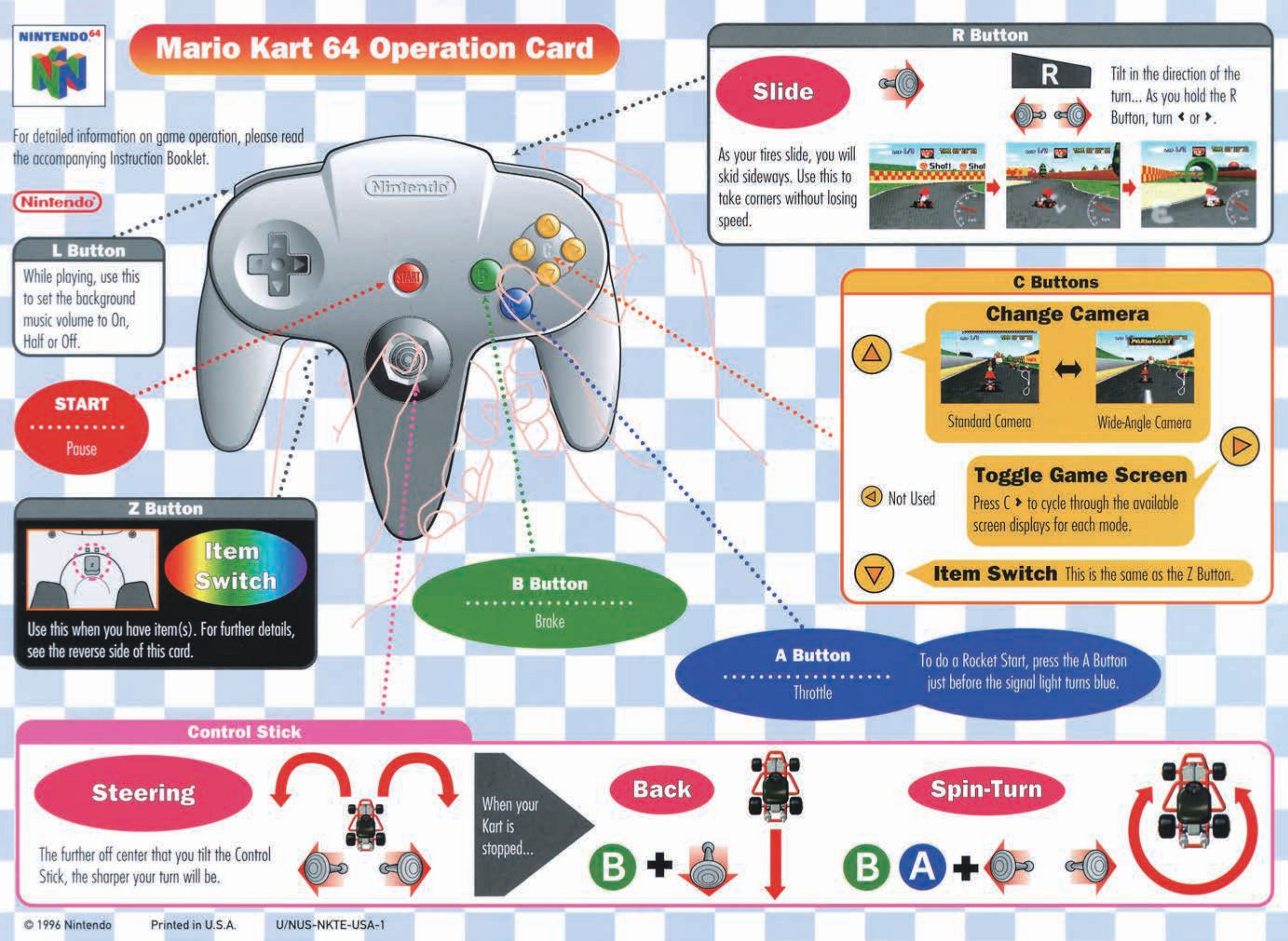
Manual Link (Archive.org) Operation Card (Nintendo)
Installation
This Mario Kart 64 port is a Ship of Harkinian project called SpaghettiKart.
- Download a release from the Releases page for SpaghettiKart. Extract it somewhere, and keep the folder handy.
- Find a ROM of Mario Kart 64 online, and make sure it's in a .z64 format
- Place the ROM inside the same folder as where you extracted SpaghettiKart.
- Run
Spaghettify.exe; a window should pop up asking "No OTR files found. Generate one now?". Click "Yes." - A command prompt should open and a bunch of code should start scrolling. Stay calm, this is okay.
- Eventually, the process will finish and the game will open. From now on, Click
Spaghettify.exein order to open the game.
Customizing your Game
When the game is open, type ESC on your keyboard to open the menus.
As this release is considerably less developed than other Harkinian ports, there is less to configure, here.
Enhancements
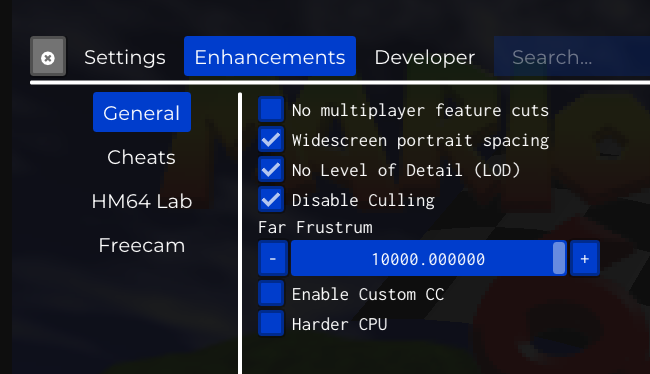
If you're playing on a typical 16:9 monitor, you may want to enable Widescreen portrait spacing, No Level of Detail (LOD) and Disable Culling; as your computer is likely more powerful than a Nintendo 64, these will make the game look better.
Controls
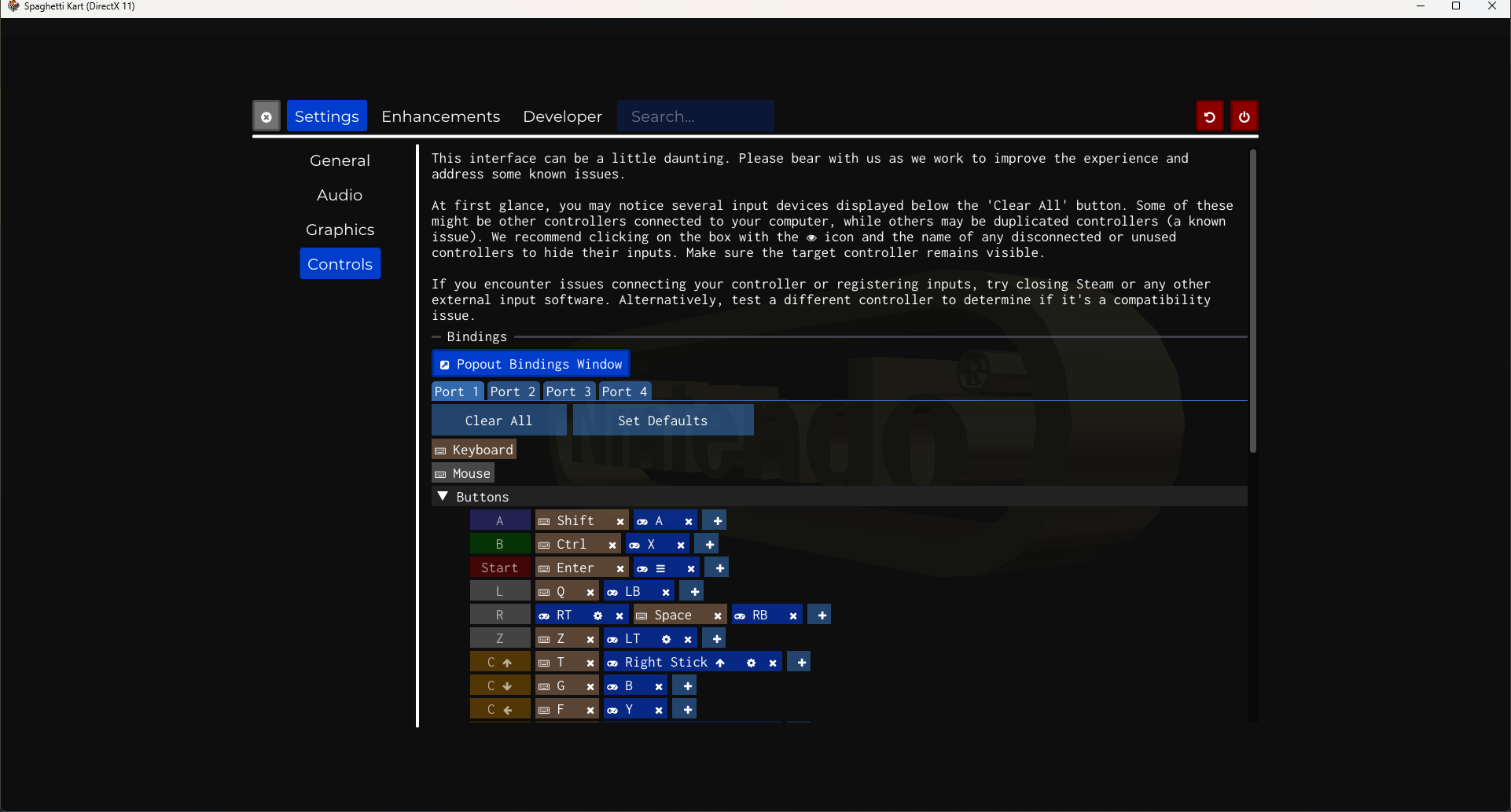
This is where you would modify your controls. If you're dealing with the defaults:
| Default Keyboard Key | Control |
|---|---|
| Left Shift | A (Accelerate, Confirm) |
| Left CTRL | B (Brake, Cancel) |
| Enter | Start |
| Spacebar | R (Drift) |
| Z | Z (Throw Item) |