Open Transport Tycoon Deluxe
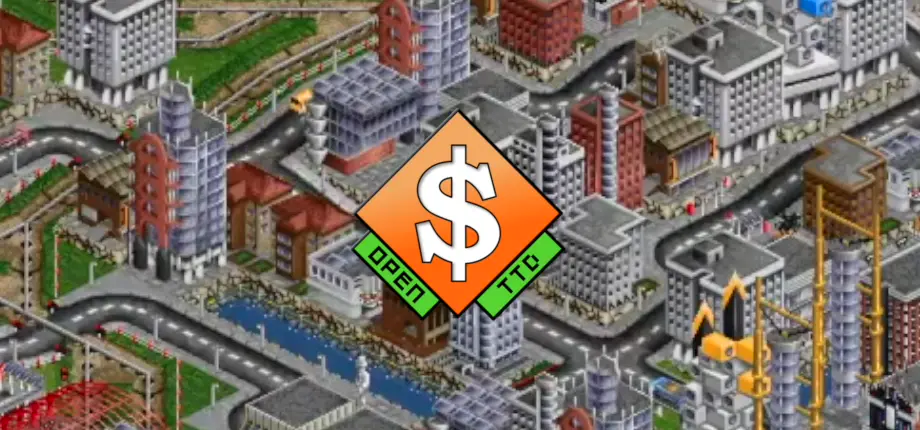
Transport Tycoon is a 1994 business simulation game based around moving commercial assets or people. Open Transport Tycoon Deluxe is both a source port and a significant expansion to Open Transport Tycoon. They also have a full list of what they've added on top of the base game.
Installation
- Download OpenTTD and install it. You can also install it on Steam or GOG.
- You then have two options from here:
- If you own Transport Tycoon Deluxe, you can use the files for its graphics, music and sound effects.
- If you don't want to do that, you must download free, community-made versions of those assets separately:
The advantages of using the "Open" files is that the graphics have additional items. From the readme for OpenGFX:
OpenGFX provides you with...

- all graphics you need to enjoy OpenTTD
- uniquely drawn rail vehicles for every climate
- completely snow-aware rivers
- different river and sea water
- snow-aware buoys
Using Transport Tycoon Deluxe Files
You can find an ISO of Transport Tycoon Deluxe 95 on archive.org, courtesy of the developer of the game (thanks, Chris Sawyer). Mount it and install it from there (may only work on Windows).
If you've installed Transport Tycoon Deluxe, you must copy the following files into the baseset folder of the install directory. This can be found in the following places:
   - Windows:
     - C:\My Documents\OpenTTD\baseset (95, 98, ME)
     - C:\Documents and Settings\<username>\My Documents\OpenTTD\baseset (2000, XP)
     - C:\Users\<username>\Documents\OpenTTD\baseset (Vista, 7, 8, 10)
   - Mac OSX: ~/Documents/OpenTTD/baseset
   - Linux: ~/.openttd/baseset
From the readme:
- sample.cat
- trg1r.grf or TRG1.GRF
- trgcr.grf or TRGC.GRF
- trghr.grf or TRGH.GRF
- trgir.grf or TRGI.GRF
- trgtr.grf or TRGT.GRF
For music, from the readme:
- TTD for Windows: All files in the gm/ folder (gm_tt00.gm up to gm_tt21.gm)
- TTD for DOS: The GM.CAT file
- Transport Tycoon Original: The GM.CAT file, but rename it to GM-TTO.CAT
Using Open Files
If you're installing on Windows, the installer can download the Open files for you. If installing manually, you can download the OpenGFX, OpenSFX and OpenMSX archives, then extract them into the baseset directory. You can find that here:
   - Windows:
     - C:\My Documents\OpenTTD\baseset (95, 98, ME)
     - C:\Documents and Settings\<username>\My Documents\OpenTTD\baseset (2000, XP)
     - C:\Users\<username>\Documents\OpenTTD\baseset (Vista, 7, 8, 10)
   - Mac OSX: ~/Documents/OpenTTD/baseset
   - Linux: ~/.openttd/baseset
Then, from the readmes:
5. In the main menu of the game, click the Game Options button. The Game Options dialog will appear.
6. Select OpenGFX from the drop-down list below Base graphics set if that's not selected already (bottom left of window). Close the window using the × in the upper left corner.
   - If you did not install the original TTD base graphics during the installation of OpenTTD, you can skip this step.
   - If you installed the original TTD base graphics as well, this is where you can switch base graphic sets.